Conversion optimisation: getting more from your website in a downturn

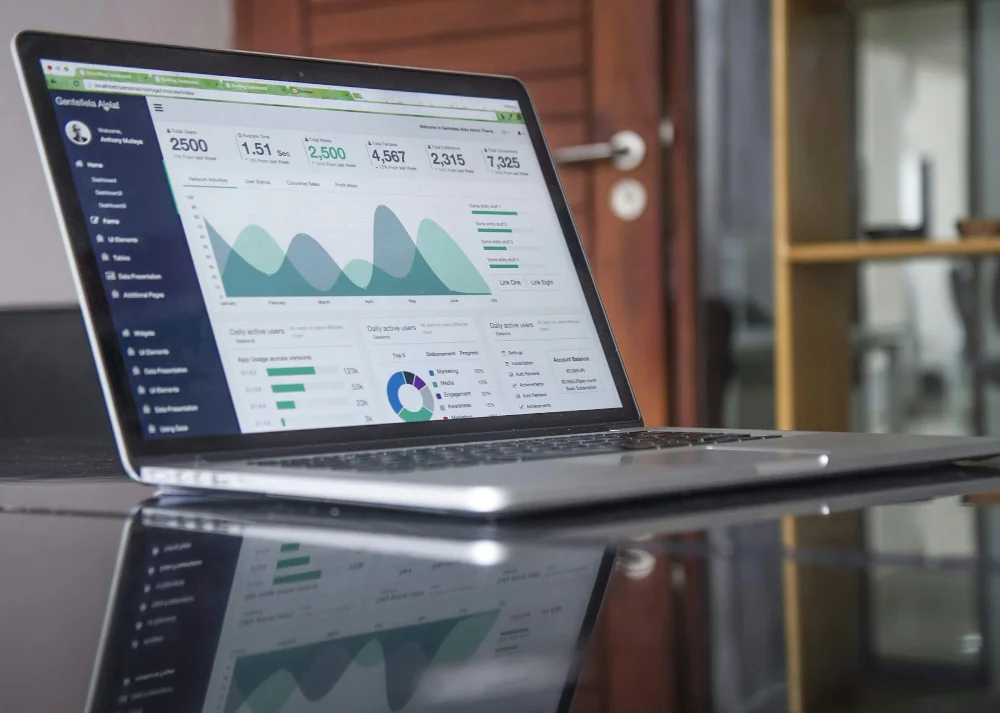
Person reviewing website analytics on a MacBook — conversion optimisation in action

When times are tight, the instinct for many business owners is to spend more on advertising to generate leads. But there’s a more effective – and more affordable – approach that’s often overlooked: making your existing website work harder.

Conversion optimisation is the practice of improving your website so that more of your existing visitors take a meaningful action – whether that’s completing an enquiry form, requesting a quote, or picking up the phone. It’s not about driving more traffic; it’s about getting better results from the traffic you already have.

For SMEs navigating economic uncertainty, that distinction matters. Every visitor who leaves your site without making contact represents a missed opportunity – and when budgets are under pressure, those missed opportunities become more costly.

Why conversion optimisation makes sense right now
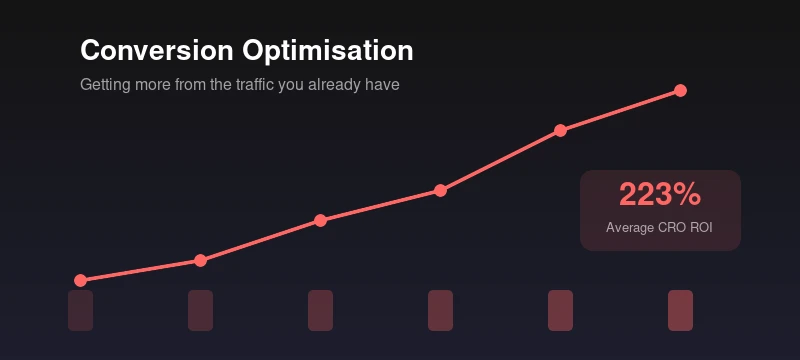
Chart showing conversion optimisation delivers an average 223% ROI

Most businesses already invest in some form of marketing – whether that’s SEO, Google Ads, social media, or simply word of mouth. All of these channels drive visitors to your website. But if your site isn’t converting those visitors effectively, you’re leaving value on the table regardless of how much you spend on getting people there.

Conversion optimisation flips the equation. Instead of asking “how do we get more traffic?”, it asks “how do we get more from the traffic we have?”. In a downturn, this is a smarter question to be asking – because the return on investment can be significant without requiring additional marketing spend.

Companies using conversion optimisation tools and techniques see an average return on investment of 223%. That’s because even small improvements – a clearer call to action, a faster-loading page, a simpler form – can have a measurable impact on enquiry rates.

Where most websites lose visitors

Understanding where and why visitors leave without converting is the first step. In our experience working with SME websites, the most common issues tend to fall into a few key areas.

2.9%

Average website conversion rate across industries

Source: Unbounce 2023

7%

Conversion drop for every extra second of load time

Source: Portent

81%

Of users abandon a form after starting it

Source: Formstack

Page speed

This is one of the biggest and most overlooked factors. Research consistently shows that every additional second of page load time reduces conversions by around 7%. A site that loads in one second converts at roughly double the rate of one that takes five seconds. For a business generating enquiries through its website, that’s not a minor detail – it’s the difference between a pipeline that grows and one that stalls.

Unclear calls to action

Many SME websites have good content but don’t make it clear what the visitor should do next. If your call to action is buried at the bottom of a long page, or uses vague language like “Learn More”, visitors are far less likely to take the step you want them to. Effective calls to action are visible, specific, and positioned where they make sense in the visitor’s journey.

Forms that ask too much

Contact forms are often the final hurdle between interest and enquiry – and it’s where a surprising number of websites lose people. With 81% of users abandoning forms after starting them, reducing the number of fields to only what’s essential can have a dramatic effect. If you’re asking for a company name, job title, phone number, message, and reason for enquiry before someone can say hello, you’re creating unnecessary friction.

Weak trust signals

When someone visits your website for the first time, they’re making a quick judgement about whether to trust you. Client testimonials, case studies, recognisable logos, industry accreditations, and clear contact information all play a role. Without these, visitors may feel uncertain – and uncertain visitors don’t convert.

Poor mobile experience

Mobile now accounts for over half of all web traffic, yet many business websites still treat mobile as an afterthought. Buttons that are too small, text that’s hard to read, and forms that don’t work properly on a phone all reduce the chance of conversion. A website that looks polished on desktop but frustrates on mobile is losing enquiries every day.

Practical steps you can take

The good news is that conversion optimisation doesn’t require a complete website rebuild. Many of the most effective improvements are relatively straightforward to implement and can start showing results quickly.

Common IssueQuick Win
Slow page load (3+ seconds)Optimise images, enable caching, reduce unused plugins
Generic CTA (“Learn More”)Use specific, action-oriented language (“Get a Free Quote”, “Book a Call”)
Long contact form (8+ fields)Reduce to 3–5 essential fields – name, email, message
No social proof visibleAdd testimonials and client logos near key conversion points
CTA only at page bottomAdd a clear CTA above the fold and repeat after key sections
Mobile forms hard to useTest all forms on mobile – ensure buttons and fields are thumb-friendly

1. Audit your key pages

Start with the pages that matter most – your homepage, services pages, and contact page. Look at them from a visitor’s perspective: is it immediately clear what you do, who you help, and how to get in touch? Tools like Google Analytics can show you where visitors are dropping off, giving you a clear starting point.

2. Simplify the path to enquiry

Remove unnecessary steps between a visitor arriving on your site and making contact. That might mean adding a prominent call to action higher up the page, simplifying your contact form, or making your phone number more visible. Every click or scroll that isn’t needed is an opportunity for someone to leave.

3. Strengthen your trust signals

Review your website through the eyes of someone who has never heard of your business. Do you have client testimonials displayed prominently? Are your case studies easy to find? Is it clear how long you’ve been in business and what kind of clients you work with? These details may feel secondary, but they directly influence whether a visitor feels confident enough to make contact.

4. Improve Page speed

Use Google’s free PageSpeed Insights tool to check how your key pages perform. Common fixes include optimising image sizes, enabling browser caching, reducing the number of plugins, and ensuring your hosting is up to the task. Even modest improvements in load time can translate to measurably better conversion rates.

5. Test and measure

Conversion optimisation is not a one-off task. The most effective approach is to make changes, measure the results, and refine over time. Set up goal tracking in Google Analytics so you can see exactly how many visitors are completing your desired action – and whether that number improves as you make changes.

Your conversion optimisation checklist

  • Run Google PageSpeed Insights on your homepage and key service pages
  • Check your contact form – can someone get in touch in under 30 seconds?
  • Review your calls to action – are they visible, specific, and above the fold?
  • Ensure testimonials or case studies appear on your most-visited pages
  • Test your entire enquiry journey on a mobile phone – start to finish
  • Set up Google Analytics goal tracking for form submissions and phone clicks
  • Remove unnecessary distractions – pop-ups, sliders, competing CTAs

Making it count in 2026

In an environment where every pound of marketing spend is under scrutiny, conversion optimisation represents one of the most efficient investments a business can make. It doesn’t require a large budget, it builds on what you already have, and the improvements compound over time.

The average website converts at around 2–3%. That means 97 out of every 100 visitors leave without taking action. Even moving that number by one percentage point can have a meaningful impact on your pipeline – particularly for service-based businesses where each new enquiry carries real value.

At 4D Digital we regularly help clients improve their website performance through practical, data-led conversion optimisation. Whether it’s a focused review of your key pages or a broader strategy to improve enquiry rates, we can help you get more from the website you already have. Get in touch if you’d like to talk it through.
Case study – Latcham Direct

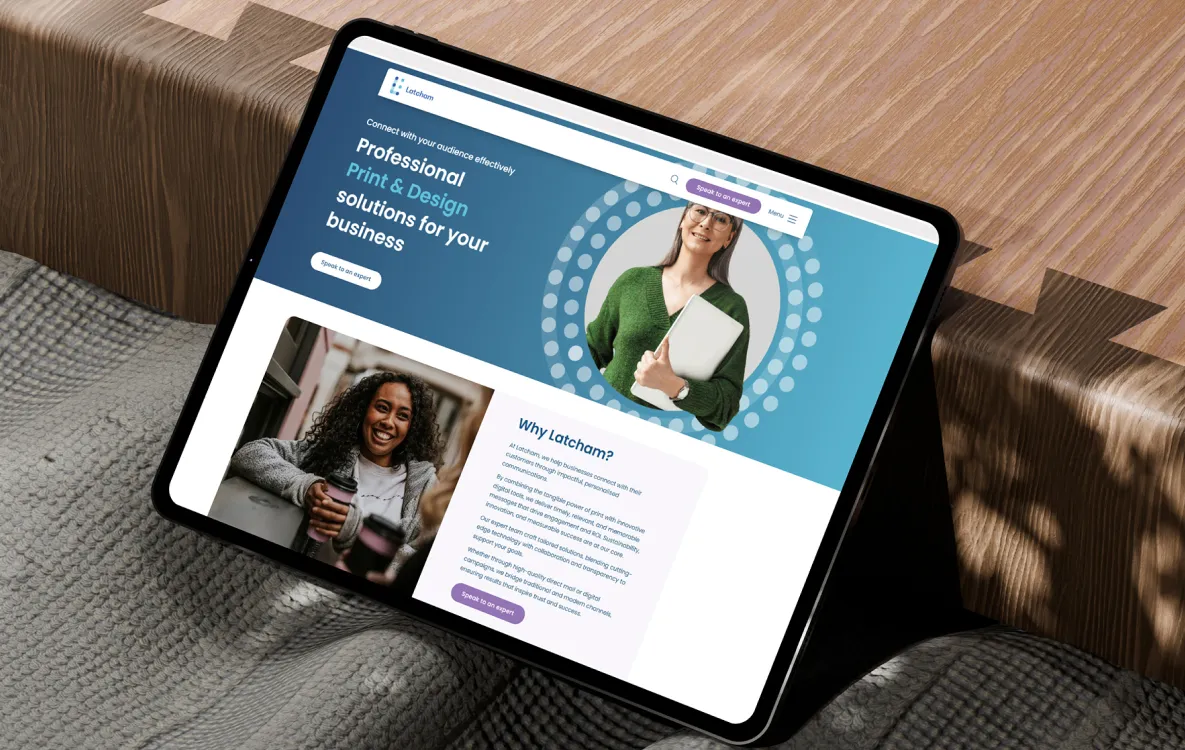
Latcham website on an iPad

Latcham Direct are a Bristol-based print and communications company specialising in hybrid digital and print solutions. With clients spanning membership organisations, healthcare, local government, financial services, housing, utilities and enforcement, Latcham needed a website that reflected the breadth and depth of their expertise.

4D Digital were appointed to design and build a new website from the ground up, delivering a modern digital presence that would do justice to Latcham’s impressive client portfolio and specialist capabilities.

Latcham website on an iPad

Understanding the brief

Latcham’s previous online presence didn’t reflect the calibre of their work or the strength of their client relationships. Organisations such as Cadent, the Royal Horticultural Society, Nottingham City Council and the Royal College of Midwives all rely on Latcham for critical communications – yet the website didn’t tell that story effectively.

The brief was clear: create a professional, sector-confident website that would showcase Latcham’s consultative approach, highlight their key sectors and solutions, and give prospective clients the confidence to get in touch. The site needed to feel modern and trustworthy without being overly corporate – warm enough to reflect Latcham’s values of being innovative, expert, caring, dynamic and diligent.

Website design & development

Working closely with the Latcham team, 4D Digital developed a custom WordPress theme guided by Latcham’s brand guidelines – a clean, teal-led palette with professional typography that balances authority with approachability.

The site architecture was built around Latcham’s key sectors: membership, health, education, local government, financial services, utilities, housing and enforcement. Each sector has its own dedicated page, allowing Latcham to speak directly to the specific challenges and compliance requirements of each audience.

Key features of the build:

  • Dedicated sector pages tailored to each audience
  • Custom case study templates to showcase client success stories
  • Solution pages for products like IntelliDoc (hybrid mail) and Latcham inFORCEMENT
  • A clear Discovery → Analysis → Design → Delivery methodology section
  • Testimonials and client logos woven throughout
  • Mobile-responsive design across all devices
  • Secure dedicated hosting with WAF, malware scanning and ongoing WordPress maintenance

Content that builds confidence

A major part of the project was developing content that would resonate with Latcham’s diverse client base. Case studies were a critical element – each one telling the story of a real partnership, from Cadent Gas’s print management operations to the Royal Horticultural Society’s membership communications and Cheshire East Council’s dynamic billing service.

The site also features client testimonials prominently, with quotes from organisations like The RHS, Forestry England, the BVNA and Rowan Dartington providing genuine social proof of Latcham’s expertise and client care.

The overall tone strikes a balance between professional authority and warmth – reflecting a company that takes compliance and data integrity seriously, but also genuinely cares about the people it works with.

Hosting & ongoing support

Beyond the initial build, 4D Digital provides Latcham with dedicated hosting on a secure server, including regular backups, web application firewall protection, malware scanning and ongoing WordPress maintenance. This ensures the site remains fast, secure and up to date as Latcham continues to grow.

A platform for growth

Launched in August 2025, the new Latcham website provides a solid foundation for the company’s digital presence. The site effectively communicates Latcham’s breadth of expertise across multiple sectors, showcases their impressive client portfolio, and provides a clear path for prospective clients to engage.

With the website now established, 4D Digital continues to work with Latcham on their digital strategy – including exploring opportunities to expand their online presence for key products like IntelliDoc, their intelligent hybrid mail platform.

Visit Latcham Direct →

WordPress website care & support: why ongoing care matters

WordPress website design

For many SMEs, a WordPress website is no longer just a brochure – it’s a core business tool. It generates enquiries, supports sales, reinforces credibility, and increasingly plays a role in how your business appears in search and AI-driven results.

Yet one of the most common misconceptions we see is that a website is “finished” once it goes live.

In reality, WordPress websites require ongoing care and support to stay reliable, visible, and effective. That’s why at 4D Digital we talk about WordPress Website Care and Support, not just maintenance. It’s about actively looking after your site so it continues to support your business goals in 2026 and beyond.

WordPress website design

Why WordPress care is a business issue, not a technical one

WordPress evolves constantly. Core updates, plugin changes, browser updates, and hosting environments all move on – whether your website does or not.

Without regular care, even a well-built site can slowly degrade:

  • Pages load more slowly
  • Features stop working as expected
  • Compatibility issues creep in
  • Search visibility can quietly slip

From a business perspective, this shows up as lost enquiries, poorer user experience, and reduced confidence in your website as a sales tool. Ongoing care ensures your site continues to work as intended, rather than becoming a liability over time.

Updates, stability and peace of mind

Regular updates are a fundamental part of WordPress care – not just for security, but for stability and compatibility. Plugins and themes that fall behind can conflict with newer versions of WordPress, causing layout issues, broken forms, or unexpected errors.

A structured care plan ensures updates are applied in a controlled way, issues are spotted early, and your site remains stable. Just as importantly, it removes the mental overhead for business owners. You don’t need to wonder “Is my website still OK?” – it simply is.

Backups and business continuity

Even with the best care, things can occasionally go wrong. Updates fail, hosting environments change, or mistakes happen.

Regular, automated backups are a quiet but critical part of website support. They mean that if something does go wrong, your website can be restored quickly with minimal disruption. From a business point of view, this is about continuity – avoiding downtime, lost leads, or emergency rebuilds.

It’s not about expecting failure; it’s about being prepared so small issues never become big problems.

Performance, speed and user experience

Website performance plays a growing role in both conversion rates and search visibility. Slow pages frustrate users, reduce engagement, and are less likely to perform well in Google or AI-assisted search results.

Ongoing WordPress care includes performance monitoring and optimisation:

  • Keeping the site lean as content grows
  • Optimising images and assets
  • Ensuring hosting and caching remain fit for purpose

The result is a website that feels fast, professional, and easy to use – which directly supports enquiries and conversions.

Visibility in search and AI results

Search engines increasingly favour websites that are technically sound, fast, and consistently maintained. In 2026, this also extends to how AI systems interpret and recommend businesses.

A well-cared-for WordPress site:

  • Loads reliably for users and crawlers
  • Avoids technical issues that limit visibility
  • Provides a stable platform for SEO and content growth

Website care doesn’t replace SEO – but without it, SEO efforts are often undermined.

Support that grows with your business

One of the advantages of WordPress Website Care and Support is flexibility. As your business grows, your website often takes on more responsibility – more traffic, more integrations, more content.

A scalable care plan allows support to grow alongside your needs, without the cost or complexity of in-house technical management. It’s about having the right level of support at each stage of your business.

In summary

WordPress Website Care and Support is about protecting the value of your website over time.

It ensures your site:

  • Remains reliable and up to date
  • Delivers a strong user experience
  • Supports visibility in search and AI results
  • Continues to generate enquiries and sales

For SMEs, it’s one of the simplest ways to turn a website from a static asset into a dependable part of your business infrastructure.

Optimising your website for AI search in 2026

An illustration of an office meeting

The world of search is changing quickly. What used to be a simple list of blue links is becoming AI-generated answers, summaries, and conversational responses powered by systems like Google’s AI Overviews and assistants such as ChatGPT and Perplexity.

For business owners, this shift isn’t just another SEO buzzword – it’s a new way customers find answers, make decisions, and discover services online. And your website needs to be ready if you want to be chosen by AI as well as humans.

An illustration of an office meeting

Why AI search matters (now and over the next 12 months)

AI search is rewriting the visibility rulebook

Traditional SEO aimed to rank your page high on search engine results pages (SERPs). But AI search – especially features like Google AI Overviews – often generates above-the-fold answers that summarise content from multiple sources. Users get their answers without clicking through – meaning less guaranteed traffic from organic listings if you do nothing.

Even big publishers are feeling the impact of this “zero-click” world.

At the same time, AI search presents a huge opportunity:

  • AI-driven answers often cite or reference trusted sources – meaning if your content is structured and authoritative, it can be the one quoted in responses.
  • Traffic from AI search is highly intent-driven – users are often closer to a purchase or decision when they ask a direct question.
  • Early movers – websites optimised for AI search – are already seeing more mentions in AI results versus competitors.

AI search vs traditional SEO

Traditional SEOAI-Driven Search Optimization
Keyword ranking within a listContent cited or summarised as the answer
Focus on links & click-throughFocus on relevance, clarity, authority
Meta title & description impactStructured content + schema increase AI relevance
Backlinks as key authorityAI looks for context, expertise, clarity

This isn’t to say traditional SEO is dead – far from it. But AI search reframes the job: instead of “rank highest”, the new goal is be the most trusted, clear, and answerable source for the questions your customers actually ask.

How AI search engines decide what to show

AI-powered search engines use large language models (LLMs) that:

  1. Understand natural language – not just exact keywords.
  2. Identify intent – what the user really wants answered.
  3. Synthesise information from multiple sources – then generate a response or summary.

Unlike traditional crawlers that index and retrieve, AI interprets and answers. This means your content must be:

  • Clear and authoritative – AI favours information it can confidently summarise.
  • Structured logically – sections, headings, lists, FAQs help AI parse and re-use content.
  • Trustworthy – signals like expert authorship, up-to-date content, citations and reviews matter.

Practical ways to optimise your website for AI search

Here’s how you can get your business website ready – with a mix of strategic thinking and practical action.

1. Write for humans and AI

AI search still reflects what real people want to know. That means your content should:

  • Answer common customer questions directly.
  • Use natural language – think how someone would speak a question.
  • Include those questions as headings (especially FAQ sections).

This aligns your content with the way models like ChatGPT and Google parse and rephrase answers.

2. Use structured data (Schema) where possible

Structured data, such as schema markup, acts like a language that AI algorithms understand natively.

Implementing schema like LocalBusiness, Service, FAQPage, or Product helps AI systems more confidently interpret your content and increases the chance your site gets featured or cited in AI responses.

A clear structure makes your content both AI- and user-friendly.

3. Maintain topical authority

AI search favours topic coverage and authority, not just keywords. This means:

  • Build content around key themes rather than isolated pages.
  • Connect related topics via internal linking.
  • Update older content so it stays relevant.

AI models assess context and thematic relevance – having a logical, interconnected content architecture enhances your visibility.

4. Improve technical accessibility

AI crawlers – such as GPTBot used by ChatGPT – still need access:

  • Make sure AI crawlers are not blocked in robots.txt.
  • Use clean HTML, descriptive headings, and clear navigational structure.
  • Ensure fast load speeds and mobile usability.

Technical clarity helps both AI systems and real users understand your content better.

5. Monitor messaging & intent

AI systems favour direct answers to specific intents:

  • Target user intent, not just keywords.
  • Map content to real customer questions (e.g., “How do I choose window blinds locally?”).
  • Reinforce practical answers early in the page.

This focus helps your site become the source an AI would trust and quote.

The future of search isn’t about tricking algorithms – it’s about clarity, expertise, structured trust, and real answers.

Practical next steps

  • Audit your site content for questions people actually ask
  • Add schema to key pages (services, products, FAQs)
  • Check that AI crawlers can access your content
  • Organise your pages around topic clusters, not just keywords
  • Monitor your brand’s presence in AI responses across platforms

Getting ahead now means being recognised by AI and humans alike as the most trustworthy answer.

At 4D Digital we can use our experience and knowledge to improve your website’s visibility, just get in touch with us if you would like to talk further about how we can help.

How does improving website accessibility benefit your business?

Website Accessibility report

Accessibility is the practice of making websites more easily usable by people with disabilities. This includes individuals with visual, hearing, motor, and cognitive impairments, as well as those with temporary or permanent disabilities.

Implementing accessibility on a business website is important for a number of reasons. Firstly, it ensures that all customers, including those with disabilities, can access and use the website. This can help to improve the user experience for all customers, and can make it more likely that they will return to the website in the future.

Secondly, accessibility can improve a business’s search engine rankings. Many search engines, including Google, now take accessibility into account when ranking websites. This means that websites that are more accessible are more likely to appear at the top of search results, driving more traffic to the website.

Website Accessibility report

Thirdly, implementing accessibility can help a business to comply with legal requirements. In many countries, businesses are required by law to make their websites and other digital products accessible to people with disabilities. Failing to do so can result in legal penalties and fines.

Overall, accessibility is an important consideration for any business with a website. By making their website accessible, businesses can improve the user experience for all customers, improve their search engine rankings, and ensure compliance with legal requirements.

How is website accessibility put into practice?

There are several examples of how accessibility can be implemented on a business website. Here are a few examples:

  • Providing text alternatives for non-text content, such as images, videos, and audio files. This allows screen reader software to access the content and enables people with visual impairments to access the information.
  • Using clear and descriptive headings and subheadings to organise the content on a website. This makes it easier for people with cognitive impairments or who use assistive technologies to navigate the website and find the information they need.
  • Using colour contrast to ensure that the text and other elements on a website are easily readable. This is important for people with visual impairments, and who may have difficulty reading text that is not sufficiently contrasted against the background.
  • Using clear and concise language to communicate information on the website. This makes it easier for people with cognitive impairments or who are not fluent in the language to understand the content.

How hard is website accessibility to implement?

We won’t deny that implementing accessibility on a business website can be a time-consuming process. It involves conducting an accessibility audit to identify areas of the website that may not be accessible, and then implementing changes and improvements to address those problems.

The amount of time required to put this accessibility in place will vary depending on the size and complexity of the website, as well as the extent of the accessibility issues. For smaller websites with only a few accessibility issues, the process may be relatively quick and straightforward. However, for larger or more complex websites, it may take longer to identify and address all of the accessibility issues.

Hands typing on a laptop

In addition, implementing accessibility is an ongoing process. As the website is updated and new content is added, it is important to continue to monitor the website for accessibility issues and to make any necessary improvements.

Overall, while implementing accessibility on a business website can be time-consuming, it is an important investment that can improve the user experience for all customers and help to ensure compliance with legal requirements.

The benefits of making your website accessible

In a nutshell, accessibility is all about making your website usable by people with disabilities. This is important for a number of reasons, including making sure all your customers can access and use your website, boosting your search engine rankings, and avoiding any legal headaches. Implementing accessibility can seem a daunting task, but the benefits are definitely worth it in the end. Plus, it’s the right thing to do!

At 4D Digital we can use our experience and knowledge to improve your website’s accessibility, just get in touch with us if you would like to talk further about how we can help.

WordPress in 2025: Top 5 Trends to boost your website

WordPress website design

WordPress powers over 43% of all websites on the internet as of early 2025, and it’s no surprise that the platform continues to evolve at a rapid pace. This year is bringing a host of exciting developments – from artificial intelligence integration to new ways of building sites – all aimed at making websites more engaging, efficient, and user friendly. Keeping up with the latest trends can elevate your website by improving its performance, accessibility, and impact on your audience.

Below, we explore the top five WordPress trends in 2025 that can help take your site to the next level. These trends will not only make managing your website easier but also ensure visitors have the best possible experience.

AI‑Powered Tools and Automation

Artificial intelligence (AI) is becoming a game‑changer for WordPress websites in 2025. AI‑powered tools are now built into the WordPress ecosystem, helping to automate tasks and even create content and designs. For example, WordPress has introduced an AI‑assisted site builder that can generate layouts, page copy, and even choose stock images based on a few prompts. This means you can spin up a professional‑looking page in minutes, guided by intelligent suggestions, rather than starting from scratch.

Popular WordPress theme and page builder plugins are also embracing AI. Tools like Divi AI and Elementor AI are integrated into their page builders, allowing users to generate text, images, and even custom code through simple natural‑language commands. For content creation, there are plugins that connect WordPress to GPT‑based services, enabling you to brainstorm blog ideas or draft SEO‑friendly copy right from your dashboard. All of this automation can save you significant time and effort. What used to take hours of manual work – writing paragraphs, tweaking designs, optimising metadata – can now be accomplished in a fraction of the time with AI assistance.

Website Design graphic

Importantly, AI isn’t just about speed; it’s also about personalisation. In 2025, more WordPress sites are using AI to tailor content to different users, such as showing product recommendations or dynamic content based on visitor behaviour. The result is a more engaging, customised experience for your audience. Embracing AI tools in WordPress gives you a competitive edge, helping you build and update your website more efficiently while delighting visitors with content that feels relevant and timely. It’s clear that AI in WordPress has moved from a novelty to a necessity for taking websites to new heights.

Full Site Editing and No‑Code Customisation

Gone are the days when making significant changes to your WordPress site required hand‑coding or developer help for every tweak. Full Site Editing (FSE) has matured in WordPress, empowering users to design and customise their entire website through an intuitive visual interface. With WordPress’s block editor (Gutenberg) and page builder plugins, you can now adjust not just page content but also global elements like headers, footers, and templates – all without writing a single line of code. This no‑code movement is making website design more accessible than ever.

Whether you’re using the native Gutenberg blocks or popular builders like Elementor and Bricks, the focus in 2025 is on flexibility and control. You can drag and drop pre‑made block patterns or sections, change your theme’s colour scheme or typography in a few clicks, and see the updates in real time. This empowers site owners to refresh their site’s look or add new landing pages on the fly, without needing a developer every time. The result is faster turnaround for updates and the ability to keep your site’s design modern and consistent.

That said, the power of no‑code tools doesn’t eliminate the need for expert guidance – especially if you have a unique vision or complex requirements. In fact, Full Site Editing opens up new possibilities that a professional can help you harness. For instance, our WordPress development team can create bespoke

block designs or custom functionalities tailored to your business, which you can then easily manage via the editor. By combining no‑code convenience with expert development for advanced features, you get the best of both worlds. Overall, embracing FSE and no‑code customisation in WordPress means you have greater creative control over your site’s appearance and structure, enabling quick improvements that elevate your website’s appeal without the usual technical hurdles.

Website Accessibility report

Lightning-Fast Performance with PWAs and More

Nobody likes a slow website. In 2025, performance optimisation isn’t just a technical tweak – it’s a top trend that can make or break your site’s success. WordPress site owners are more performance-conscious than ever, focusing on faster load times, smoother browsing, and mobile-friendly experiences. One innovation gaining traction is the use of Progressive Web Apps (PWAs). PWAs allow your WordPress site to behave more like a native app – they can load quickly, even work offline, and deliver a snappy, app-like experience for users. For content-heavy or e-commerce websites, implementing PWA capabilities can significantly improve engagement and keep visitors coming back, since users enjoy the convenience of an app without needing to install anything.

Apart from PWAs, there’s a broad push towards streamlining WordPress sites for speed. This includes everything from utilising caching and Content Delivery Networks (CDNs) to optimising images and code. Many modern WordPress themes and plugins are now built with performance in mind, ensuring they’re lightweight and follow best practices for Core Web Vitals – Google’s metrics for user experience quality. There’s also a growing awareness of sustainable web design – the idea that efficient websites not only load faster but are also more energy‑efficient. It’s a win‑win: a faster site pleases your visitors and search engines, and it can even have a small positive impact on the environment by using less data and power.

For those aiming for the cutting edge, some organisations are exploring headless WordPress setups to maximise speed and flexibility. In a headless architecture, WordPress is used purely as a content manager on the back-end, while a separate front-end (often built with a JavaScript framework like React or Vue) delivers the content blazingly fast to users. While this approach is more complex, it shows how far the performance trend can go in pursuit of ultra-fast, seamless user experiences. The key takeaway for most site owners, though, is that speeding up your WordPress site – through techniques like image optimisation, caching, or even adopting PWA features – will elevate your website by reducing bounce rates and keeping visitors (and Google) happy.

Accessibility and Inclusive Design

Web accessibility has become a core focus in 2025, and WordPress is actively keeping pace with this crucial trend. An accessible website can be used by everyone, including people with disabilities or impairments – for instance, users who rely on screen readers, need keyboard navigation, or require high‑contrast visuals. Ensuring your site meets accessibility standards is not only the right thing to do; it also improves your site’s overall quality and reach. Many governments and industries now require sites to comply with specific accessibility guidelines. WordPress developers and the community have responded by improving the platform’s built‑in accessibility features and offering plugins to help site owners audit and fix issues. Recent WordPress core updates have introduced better keyboard navigation, clearer focus indicators, and enhancements that allow screen readers to interpret content more accurately.

In addition to core improvements, a range of plugins such as WP Accessibility and Accessibility Checker can be added to your site to flag common problems – like missing image alt text or insufficient colour contrast – right within your WordPress dashboard. By using these tools, you can systematically improve your site’s adherence to the Web Content Accessibility Guidelines (WCAG), making your content available to a wider audience. It’s not just large organisations pushing this trend; businesses of all sizes are recognising that accessible design leads to a better user experience for everyone. There’s another bonus: search engines love accessibility. A site that is well‑structured and accessible tends to be easier for search engine bots to crawl and understand, which can indirectly boost your SEO. In short, focusing on accessibility in 2025 elevates your website by making it welcoming to all users and signalling that you care about quality and inclusion

Optimising for Voice Search and SEO

With the rise of voice assistants like Siri, Alexa and Google Assistant, the way people search the web is changing – and websites need to adapt. Voice search optimisation has emerged as a key trend alongside traditional search engine optimisation. When users speak their queries, they tend to use more conversational, question‑based language. Smart site owners are tweaking their content to capture these natural‑language searches by incorporating conversational phrases, FAQs and concise answers to common questions directly on their site. For example, adding an FAQ section to your homepage or services page that directly answers things people often ask aloud can increase the chances that a voice assistant will pick your site as the answer.

Another important aspect of this trend is the use of structured data (schema markup). WordPress SEO plugins like Yoast, All in One SEO or Rank Math make it easier to add schema tags for your content, which help search engines understand the context of your information. This is particularly useful for voice search, where the system tries to provide a single, precise answer. Marking up your opening hours, reviews or product information in a structured way can help your site be the one that gets read aloud. Optimising for voice search goes hand‑in‑hand with optimising for local search – voice queries often include ‘near me’ or are location specific, so ensure your WordPress site’s local SEO is on point.

It’s worth noting that SEO in general remains as important as ever. Great content, smart keywords and quality backlinks are still fundamental to getting your site noticed on traditional search results. What’s new is that best practice increasingly accounts for multiple ways people search – typing, voice and maybe even visual search. Keeping your site’s SEO up‑to‑date can be challenging, but you’re not alone. Using reputable SEO plugins is a start, and seeking guidance from professionals can provide an extra edge. For expert help, our SEO team can ensure your website is fully optimised for both text and voice searches, helping more potential customers find you. By tuning your website for how people search today, you’ll stay ahead of the curve and make it easier for your audience to connect with you.

Staying on top of these WordPress trends in 2025 will help keep your website vibrant, user‑friendly and competitive. From AI‑powered enhancements that save you time, to no‑code design tools that put you in control, to performance, accessibility and SEO improvements – each trend offers a way to elevate your website and delight your visitors. Adopting even a couple of these ideas can make a noticeable difference in how your site functions and how your brand is perceived online.

Implementing new features or approaches might feel daunting at first, but remember that you don’t have to go it alone. At 4D Digital, we stay ahead of the curve so you don’t have to. Our team is here to assist, whether you want to integrate the latest WordPress capabilities or need guidance on the best strategy for your site. Ready to take your website to the next level – Get in touch with us today – we can help you harness the best of WordPress in 2025 and ensure your online presence grows from strength to strength.

Update – Home Group Financial

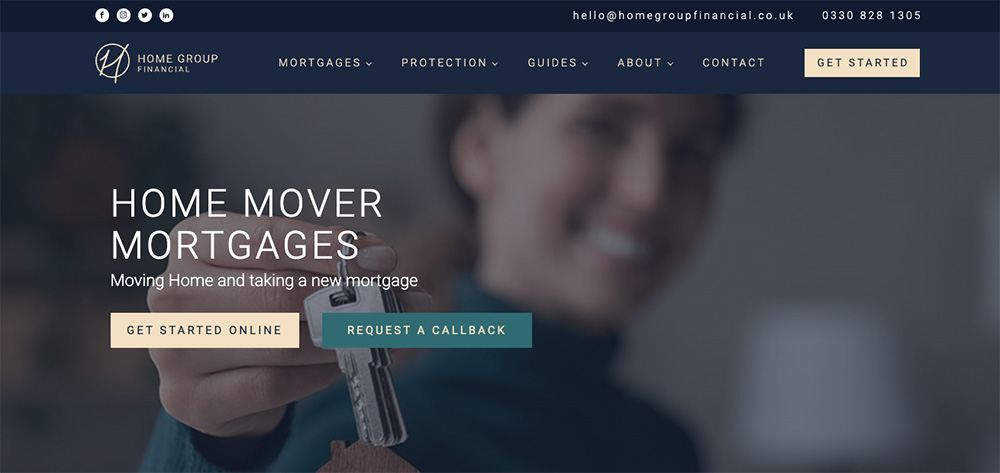
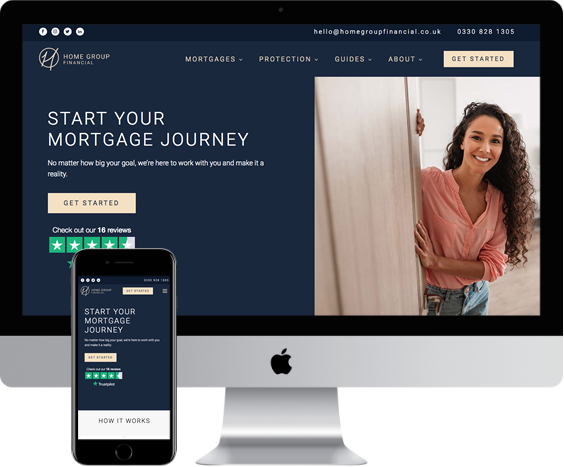
Home Group Financial Website

Home Group Financial is a Wiltshire-based Mortgage Broker and Advisor, providing advice and recommendation on mortgage, protection and insurance products to clients nationwide. Home Group Financial tasked 4D Digital with managing a new logo design, branding and website design for the company. In addition the project was to include digital marketing consultation and ongoing services for Search Engine Optimisation (SEO) and Pay-Per-Click (PPC) advertising.

Branding, Copywriting, Web Design and Marketing

The Home Group Financial brand reflects the bold, professional, yet approachable outlook of the company.

Home Group Financial Branding

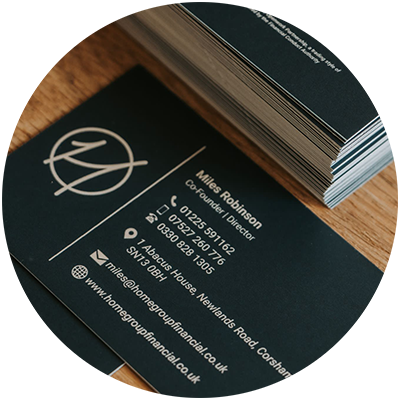
The logo is designed to be minimal, creative and versatile. Importance is placed on it’s ability to be used in a wide variety of digital and print environments

Home Group Financial - Business Cards
HGF Logo

The website design builds on the Home Group Financial brand and logo, and further reinforces the main principles of simplicity, clarity and minimalism. Website content is subject to a thorough copywriting assessment during website build.

Home Group Financial Branding and Website

Initial research and analysis is carried out in preparation for ongoing marketing via SEO and PPC campaigns, managed by 4D Digital.

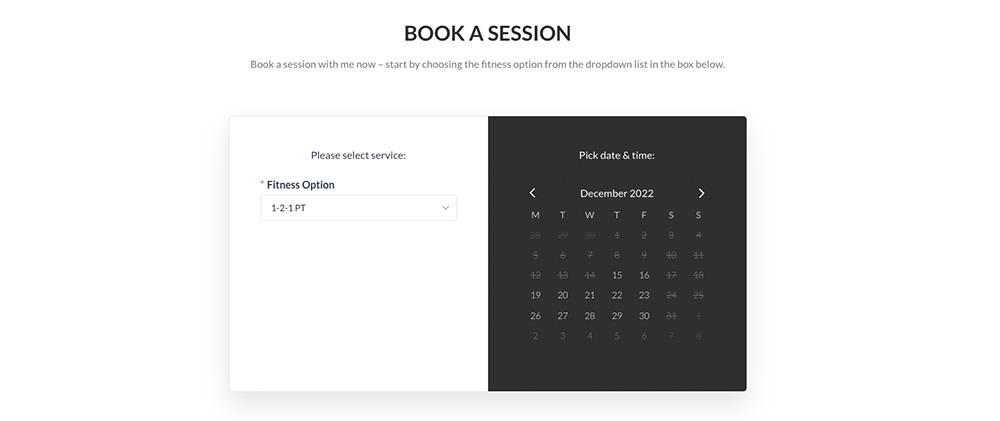
Client CRM integration

A key element of the website development is integration with the clients existing sector-specific CRM software. All new enquiries from the website automatically feed into the CRM, notifying advisors and providing feedback to potential customers.

Latest Update

Since its launch, the brand and website developed by 4D Digital have enabled Home Group Financial to progress and look forward to its next phase of growth. 4D Digital are delighted to partner with HGF to continue this expansion by offering ongoing marketing and website development services.

View websit

4D Digital have been extremely helpful in designing and producing a fantastic website for my business and supporting the initial digital launch of the site. Chris is knowledgeable, has a wide-reach of contacts to support small to large projects and most of all trustworthy – very important in a digital market where I have little knowledge. I would recommend 4D Digital without hesitation.

Miles Robinson – Founder & Director, Home Group Financial

Case Study – Balloon Letting Co.

Balloon Letting CO website

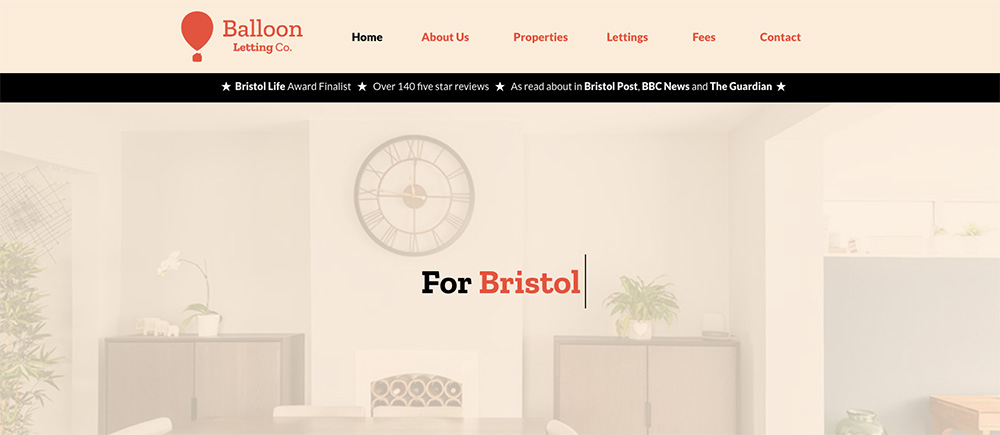
Balloon Letting Co. are a letting agent based in Westbury-on-Trym, Bristol. Founded by proud Bristolian Ben Giles, the company has rapidly grown it’s ethical brand over the last two years to become one of Bristol’s up-and-coming rental agencies. In a hugely competitive market, Balloon Letting Co. needed to upgrade its online presence in order to maintain growth and build its business.

Website Design & Development

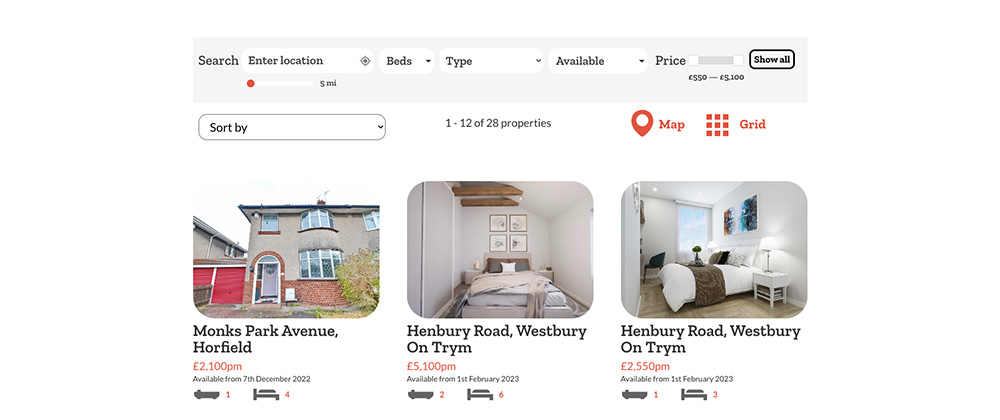
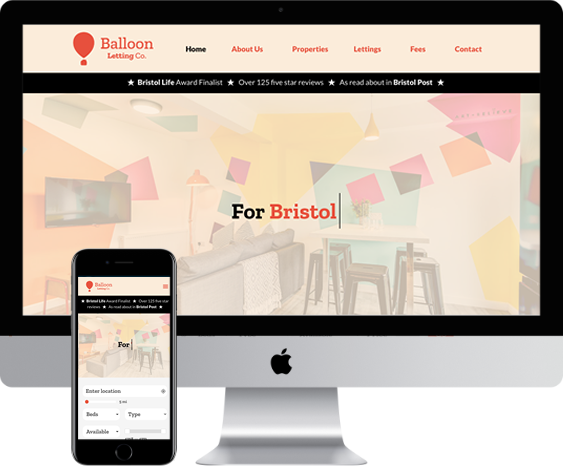
Working closely with graphic design agency Bara Studio, 4D Digital integrated the existing client property CRM with the new website design and marketing strategy. Particular emphasis was placed on ease of use for the internal Balloon Letting Co. team, with automatic upload of new property information to the website an important factor. A fully bespoke website search was built in order for website users to quickly find suitable properties in their location.

Balloon Letting CO website

SEO Marketing Strategy

Alongside the website build 4D Digital worked on a marketing strategy, with SEO optimisation a key area. Building on a strong existing social media presence, 4D targeted key areas that would benefit ongoing investment.

Balloon Letting CO website search and property display

Aiding Growth

Launched in Spring 2022 the Balloon Letting Co. website has provided a successful platform to aid and maintain growth for the company. SEO progress in the first year is already showing benefits, with regular enquiries being generated for the team.

Balloon Letting Co.

“4D Digital have been absolutely fantastic throughout our work together over the past 12 months. Chris is incredibly knowledgeable and professional and 4D have launched themselves in to our project with a huge amount of enthusiasm for what we’re trying to achieve. I would thoroughly recommend.”

Ben Giles – Managing Director, Balloon Letting Co.
Balloon Lettings Website

Case Study – Body By Hannah

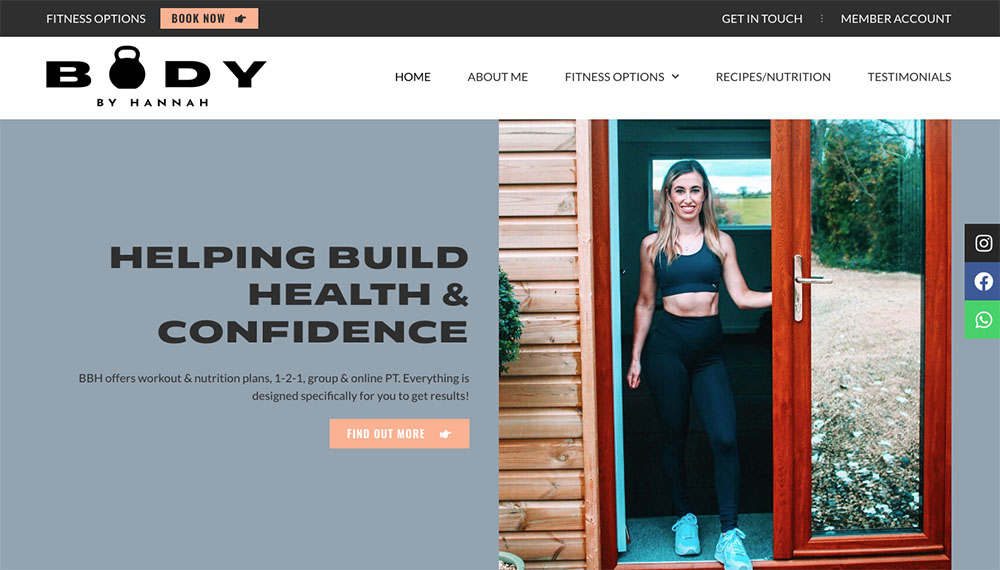
Body By Hannah website home page

As a newly-qualified personal trainer, Hannah Robinson found managing her classes with clients and taking both bookings and payments a time-consuming job to balance. After recent lockdowns, Hannah also wanted to be able to run regular online classes, keeping a regular income stream for her, and to be a flexible option for her clients.

Needing a new website, Hannah asked 4D Digital to design and build an integrated solution which would help meet these challenges and present her in a professional and friendly way.

Integrated solution

4D Digital recommended an integrated website solution which brought together a number of elements, including a booking calendar, online payments and online video. Pre-recorded classes could be uploaded into the website, ready for clients to view on scheduled dates. Clients can also now pay for and access live classes through Zoom.

Body By Hannah website home page

Website launch

Bringing all these elements together with a modern design, the website was launched in early 2022. The website also includes a blog which Hannah keeps up-to-date with Nutrition and Recipe advice.

Body By Hannah Website - Booking facility

We continue to work with Hannah to evolve the website, and look forward to new plans for 2023!

Web Design for Small Businesses

web design for small businesses

Designing and building a new website, or redesigning an existing website, can seem like a daunting task. To small business owners a new web design is often something that gets put off due to the thought of tackling the project whilst already running a demanding business.

With nearly two decades of experience in developing websites for small businesses, we have the experience in what it takes to create an engaging and successful business website. Whether a startup or an existing business, getting the results you are looking for can depend on a number of key steps and factors, which we outline below.

web design for small businesses

Register a Domain Name

There are many factors to consider when choosing a website domain name. Some of the most important factors include:

1. The domain name should be easy to remember.

2. The domain name should be short and simple.

3. The domain name should be relevant to your business or website.

4. The domain name should be available.

There are many places to buy website domain names. Some popular options include GoDaddy, Names, and Ionos. Should you wish to, 4D Digital can quickly check availability and register a domain name for you.

Website Hosting

A website host is a company that owns and operates servers that are connected to the internet. When you create a website, you need to store the files that make up your website on a server. Website hosting provides space on a server for your website, as well as the technology needed to connect your website to the internet.

There are many factors to consider when choosing a website hosting provider. Some of the most important factors include:

  • Price: How much does the hosting provider charge?
  • Reliability: How often is the website down?
  • Customer support: How responsive is the customer support?
  • Features: What features does the hosting provider offer?
website hosting for small businesses

Consider your goals

Some goals that your website might have are to increase sales, to get more leads, to increase brand awareness, or to generate more traffic.

More general aims for your new website should include the following:-

  • To be user-friendly and easy to navigate
  • To have a clean and modern design
  • To load quickly
  • To be responsive (to work well on mobile devices)
  • To be optimised for search engines
  • To be secure (with an SSL certificate)
  • To have contact information and a contact form
  • To have a blog or news section

Create a memorable and engaging website

The best way to create a memorable and engaging website will vary depending on the type of website and the audience you are trying to reach. However, some tips to create a memorable and engaging website include using high-quality visuals, telling a story, and making it easy for visitors to navigate and find the information they are looking for.

At 4D Digital we work with each client to design a website that engages the user and provides clear access to all website content and information. We believe that the content of a website has to take priority when designing layout and structure. This then enables website visitors to navigate through the website more easily and access information quickly.

Optimise for search engines

There are many things you can do to optimise your website for SEO. Some important things to consider are:

  • Making sure your website is accessible to search engine crawlers
  • Creating keyword-rich content
  • Using relevant keywords in your titles and headings
  • Creating backlinks to your website from other high-quality websites

Optimising for SEO will vary depending on your website’s context and application. For more in-depth information we are happy to advise and talk through your requirements. At 4D Digital we offer full Website and SEO Audits as part of any SEO service.

Implement a maintenance plan

A website maintenance plan is a service that provides regular updates and security for a website. This can include things like updating the website content, adding new features, and keeping the site secure.

Should your website be based on the WordPress platform, it’s important to keep up-to-date with plugin, theme and framework updates.

Promote your website

There are many ways to promote a website. Some of the most common include SEO (search engine optimization), social media marketing, and content marketing.

For Social Media some common methods include creating accounts for the website and sharing links to the website on these accounts; creating promotional content such as videos or blog posts about the website and sharing this content on social media; and running social media ads that link to the website.

There are a number of ways you can use content marketing to promote your website. You can use blog posts, infographics, videos, and other forms of content to attract attention to your site and encourage people to visit it. You can also use social media to share your content and drive traffic to your website.

web design for a small business

Commonly asked questions

Does my Small Business website need a content-management system?

A content management system (CMS) is a website framework that allows you to create and modify digital content. Most websites are built with a CMS which allows the business owner to modify and add content themselves.

If you want to create a Small Business website, you will most likely need a CMS.

What is UX and how does it affect my website?

UX, or user experience, affects your website in that it determines how easy or difficult it is for users to interact with your site. A good UX will make it easy for users to find what they’re looking for and navigate your site, while a poor UX will make it difficult for users to use your site.

Should I use WordPress for my website?

WordPress is a good choice for many websites, but it may not be the best choice for your specific website. At 4D Digital we specialise in developing for WordPress but will advise on the framework that we fell can best help your business reach its goals.

As a small business, do I need to be ready for e-commerce?

E-commerce refers to the buying and selling of goods and services over the internet. This can be done through a variety of different platforms, including online marketplaces, online stores, and mobile apps.

If your business has any plans in the future to sell products or services online, then good advice is to build the website framework with e-commerce enabled from the outset.

Do I need to add to my small business website every month or more frequently?

As a general rule, it is a good idea to add new content to your website on at least a monthly basis. This will help keep your site fresh and relevant, and will give your visitors a reason to come back.

How much does it cost to create a website for a small business?

The cost of creating a website for a small business can vary depending on the size and scope of the project. Generally, a simple website can cost anywhere from £500 to £2,000, while a more complex website can cost upwards of £5,000 or more.

Do you have to pay monthly for a website?

Should 4D Digital produce a website for you, you do not have to pay monthly. You may be required to pay for hosting with us, but that is separate from your website itself.

Summary

At 4D Digital we aim to use our experience and knowledge to ease the process of building a new website and, hopefully, even make it an enjoyable task. Please get in touch with us if you would like to talk further about your business website.

Home Group Financial

“4D Digital have been extremely helpful in designing and producing a fantastic website for my business and supporting the initial digital launch of the site. Chris is knowledgeable, has a wide-reach of contacts to support small to large projects and most of all trustworthy – very important in a digital market where I have little knowledge. I would recommend 4D Digital without hesitation.”

Miles Robinson – Founder & Director, Home Group Financial